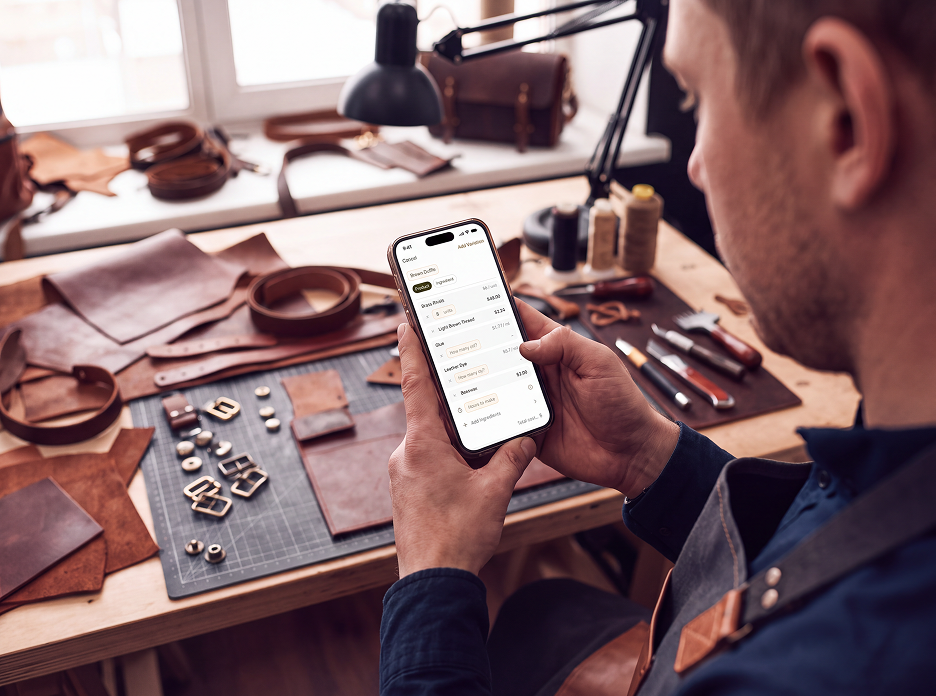
Accessible Product Management for Small Businesses
Makesmith is an app designed to simplify product catalog and inventory management for small businesses and side hustlers in the crafting industry.
Time Frame
4 weeks
Purpose
App Project
Software
Figma, Claude, Vercel
Role
UX Designer
The Problem
Inventory Software is Often Financially Inaccessible to Small Businesses
Without the budget for dedicated inventory software, small craft-based businesses lose time mulling over spreadsheets to keep their passion work profitable.
The Solution
A Simplified App Allowing Small Makers to Manage their Inventory
Popular options for inventory management software are feature rich, come with a high cost, and do not offer mobile apps. Inventora, the most affordable option, recently removed their free plan and hiked up pricing, creating even more of an opportunity.
View interactive prototype on Vercel
Go to PrototypeResearch & Insights
Existing Software is Expensive and Overkill
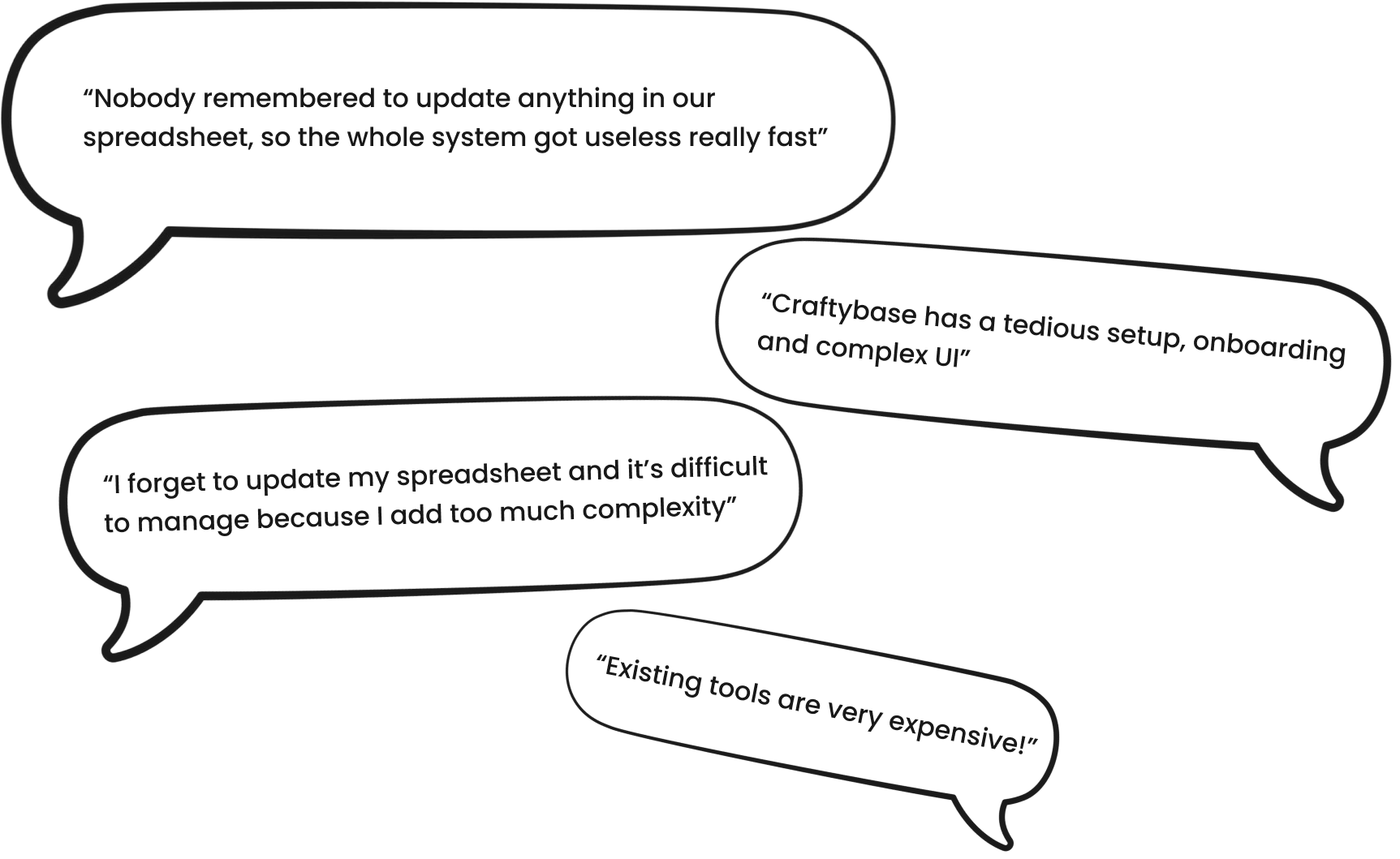
Reviewers have expressed that the established options are too expensive, overkill and often unintuitive. Many crafters resort to using spreadsheets or custom-made software that gets difficult to manage and keep updated.
The Business Opportunity
A Simple, but Strong Business Opportunity
Leading options are financially inaccessible to many small-business crafters and side-hustlers, creating a gap in the software market for a simpler option. How might we create an affordable system that small businesses can use to manage their materials, inventory and business costs more intuitively and conveniently.

The Affordable Option
Pricing: $23 - $120/month
For the Small Businesses
Best fit for makers in the early-to-mid stage who want to graduate from spreadsheets without committing to Craftybase's cost or complexity. The free plan lowers the barrier to starting. The trade-off is hitting feature ceilings faster than with Craftybase.
Strengths

Free Hobby plan is genuinely functional. Allows small makers to start tracking with no upfront cost.
Multiple users describe it as easier to learn than Craftybase.
Shopify App Store integration available; active team with frequent feature releases.
Weaknesses
Only 10 sales/month on the free version. Cheapest from there is $20/month.
Inventora supports "Materials made from Materials" but lacks Craftybase's full nested BOM depth. Makers with layered component structures may hit ceilings.
Inventora has no barcode scanning capability, requiring all updates to be entered manually.

The Gold Standard
Pricing: $50 - $350/month
For the Medium-Sized Businesses
Strong fit for makers past the early hobby stage. The 2024 price increase and complex setup make it a harder sell for very small businesses. A maker grossing under $5K/year spends roughly 10-12% of revenue on the subscription.
Strengths
Deepest raw material tracking in this category. Handles micro-quantities, lot numbers, and multi-level sub-assemblies.
Automatic COGS calculation updates when supplier prices change. No manual formula maintenance required.
Broadest channel integrations: Etsy, Shopify, Amazon, WooCommerce, Wix, Square, Faire, PayPal.
Weaknesses
Reviews report lots of setup friction and complex UI.
Significant price increase in 2024: entry plan jumped from ~$19/mo to $49/mo. Now cost-prohibitive for very small or part-time makers
No pick list generation for multi-product batch runs. A production workflow gap flagged repeatedly in reviews.
Personas
Who Would Benefit Most from a Cheap Alternative?

Marcus
The Side Hustler
Age 28
"I'd rather be at my bench making things during my free time than staring at a spreadsheet."
About
Marco started selling leather goods a couple of years ago; bags, wallets, and keychains, almost entirely made to order. He has a product catalog, but no inventory and runs everything solo on the side of his day job.

Goals
Have an organized catalog, track COGS, automate inventory, and plan for orders ahead of time.

Motivations
He keeps track of his products and finances at a basic level. He wants piece of mind that he’s being smart about the business choices he’s making.

Habits
Typically is on his phone for most tasks when he’s making his products. Will go on his laptop for more serious or time consuming tasks.

Pain Points
Aware of tools like Craftybase but can't justify the subscription cost. Rarely remembers to update his spreadsheet, so it's frequently inaccurate.

Sarah
The Small Business Owner
Age 37
"Micro-tracking my raw materials is a pain, but I have to be accurate with my finances."
About
Sarah turned her ceramic hobby into a full-time business 2 years ago and she wants to be thorough so she tracks everything obsessively; glaze by the gram, slip by the fl oz. Her spreadsheet is becoming complicated, but she can't justify the cost of inventory management software.
Goals
Track raw materials at a granular level, monitor tool usage, understand her true cogs with automated formulas.
Motivations
She’s detail-oriented so she not only feels the need to track things granularly, but she enjoys it and makes her feel confident about her business.
Habits
She spends more time managing operations and finances rather than actually making her products and does most of her work on her laptop. She uses her phone for simpler tasks when she’s in her crafting studio.
Pain Points
Her spreadsheets are complicated and it’s visually overwhelming. She has to remember to update it which is especially difficult given she likes to track in granular detail.
Live User Benchmark Testing
User Testing Leading Software to Identify Usability Improvements
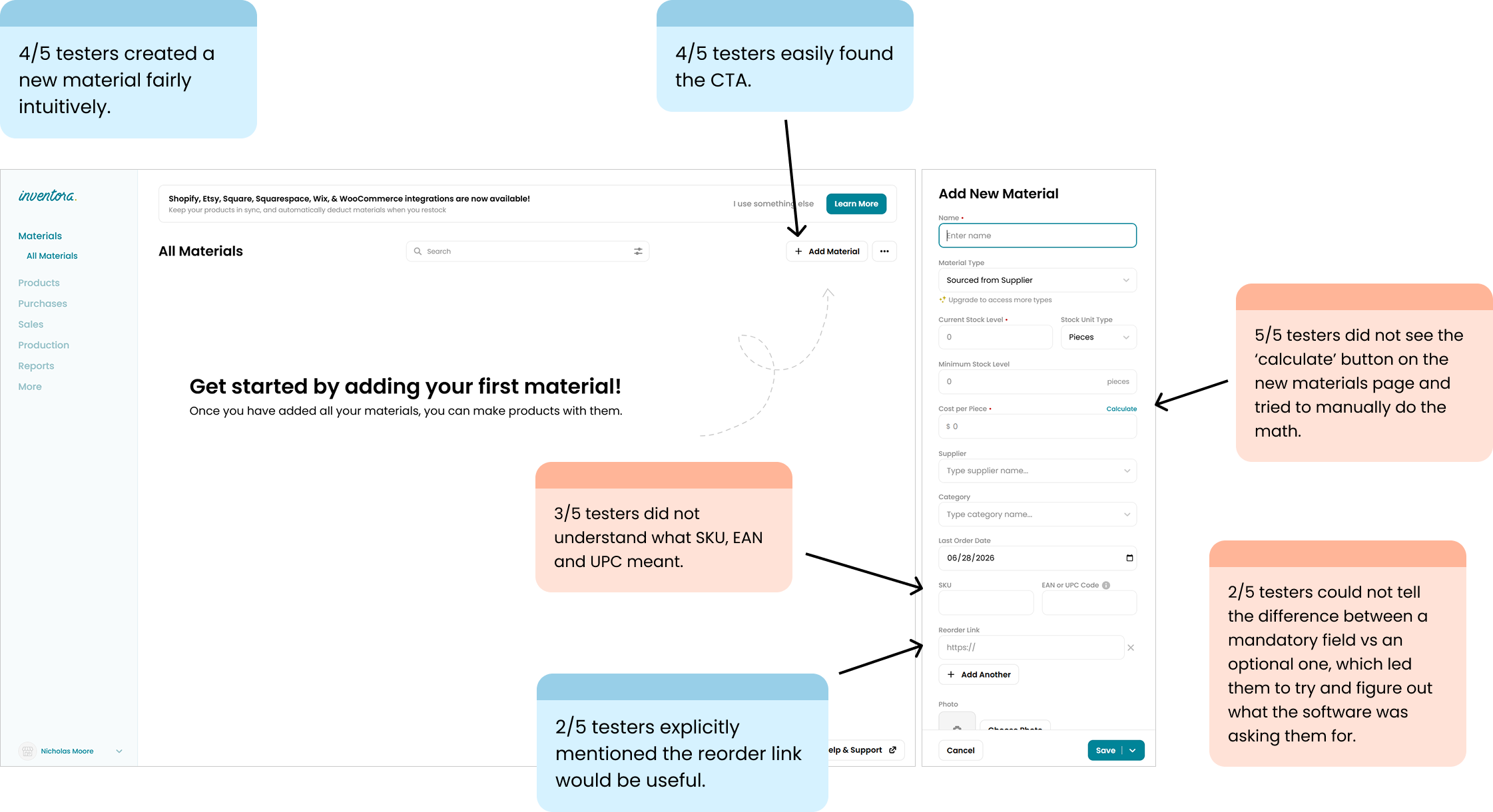
Inventora is the cheapest option and the most targeted to the small business owner. I tested the most important flows with users matching my ‘Marcus’ persona.
Benchmark Testing
Their Reactions to the Software

Said
"I don’t know what SKU or this other thing means, so I wasn’t sure what to put there. Didn’t realize they were optional."
-Product Creation Page
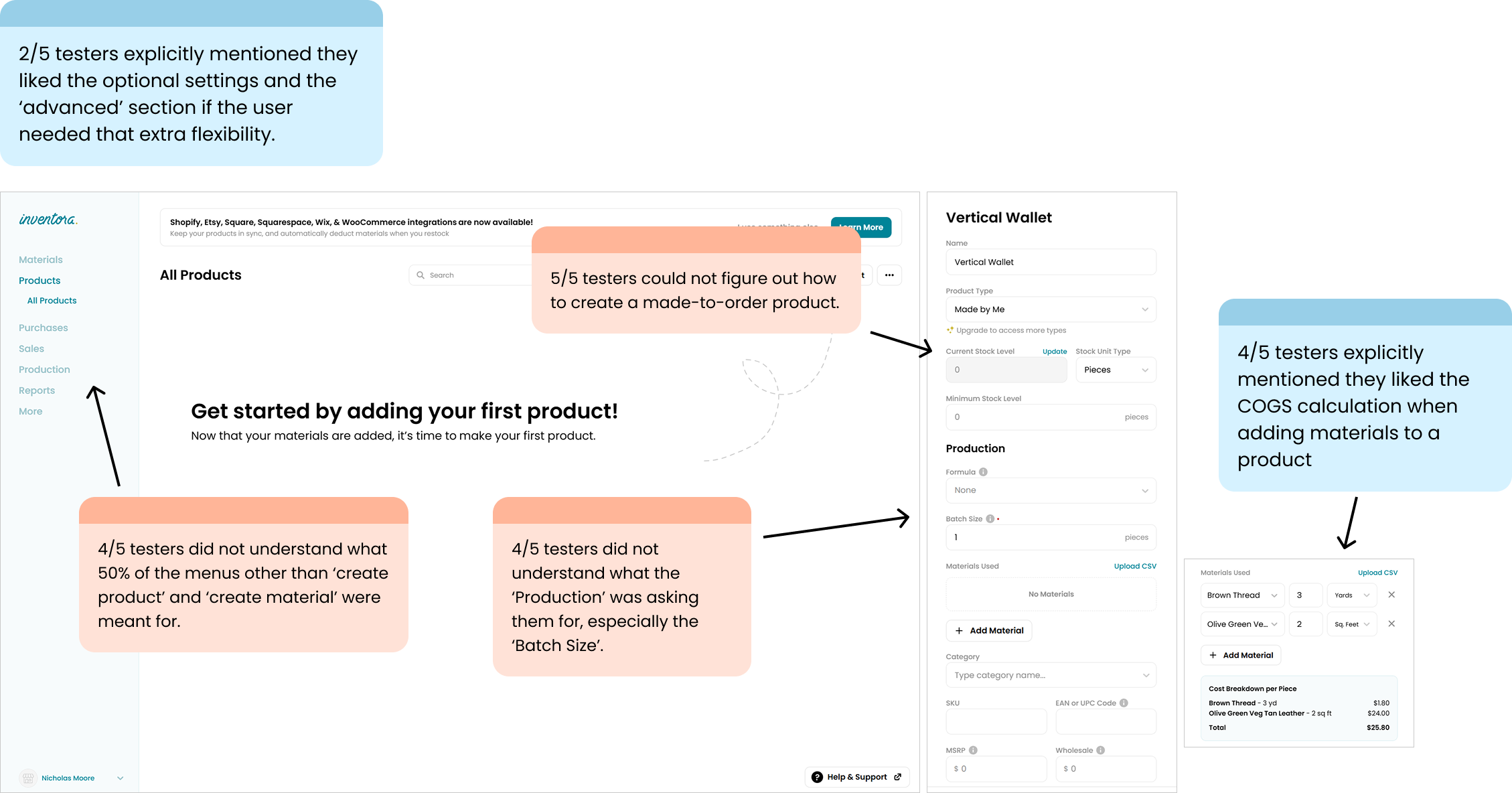
"I don’t know what batch means, but it’s required so I guess I’ll leave it at 1?"
-Product Creation Page
"My products are made-to-order, so I don’t have inventory. It’s not letting me leave it at 0. What do I do with that?"
-Product Creation Page
"Adding the new material was pretty self explanatory. I liked the simplicity of that process."
"I wish these menu items were named different, cause I don’t understand this business terminology."
Thought
"Are all these setting required? I can’t tell."
"I guess all of these advanced settings would be useful for actual businesses. I only really want to use the basics here so I’ll skip them."
"Why is the ‘Materials’ menu the home page of the entire software?"
"I wonder if I can get rid of this callout at the top that’s telling me to connect to my shop?"
"Cool that there’s a history section, but I wish there were images so it’s easier to visualize what I’m looking at."
"I love that it automatically tells me how much I’m spending per product on my materials."
Did
Manually tries to figure out what the price per sq ft of his new leather material would be. He didn’t see the ‘calculate’ button.
Accidentally clicks out of the ‘New Product’ window and has to restart.
Doesn’t click the toggle menus to see what all the options are for certain settings. If he feels the default options are correct for his scenario, he won’t look more into it.
Clicked the ‘Purchases’ menu to try and add another material before he realized it’s in the ‘Materials’ menu.
Felt
Annoyed that he has to restart adding his new product to the software because he accidentally clicked out of the window.
A little confused by all of the business terminology that he doesn’t understand. He says it’s just cause he doesn’t know how to run a proper business.
Information Architecture
Consolidating Features for a Simplified Experience
User Flows
The 3 Most Important User Flows
The core purposes of this app would be to create ‘ingredients’, products and plan for future orders. The logic behind these functions can remain familiar to existing platforms, so the information architecture and the structure of the user flows can as well. Results from my benchmark testing revealed usability issues that I improved upon in my flows.
Branding
Defining Brand Identity Against Competitors
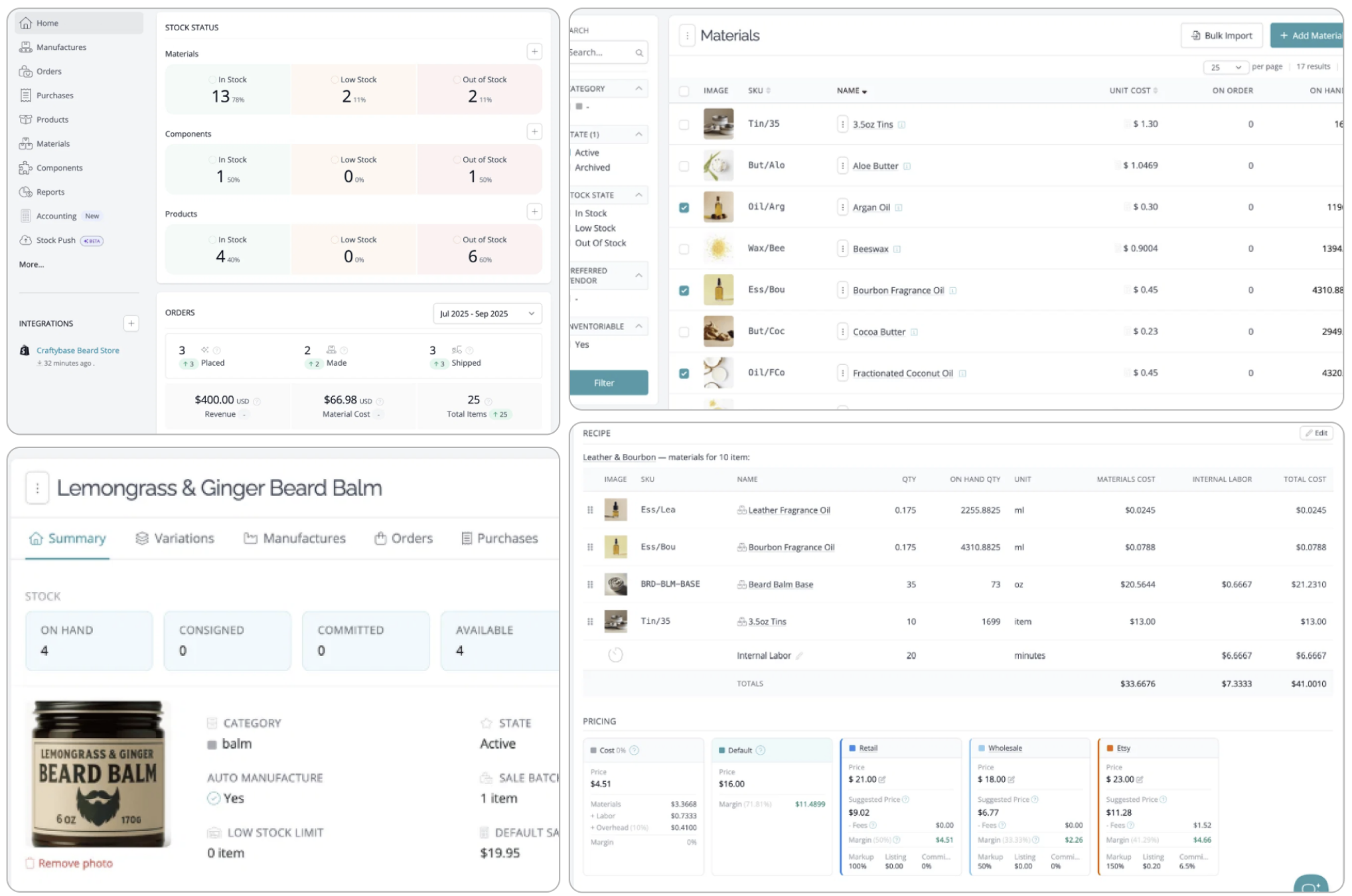
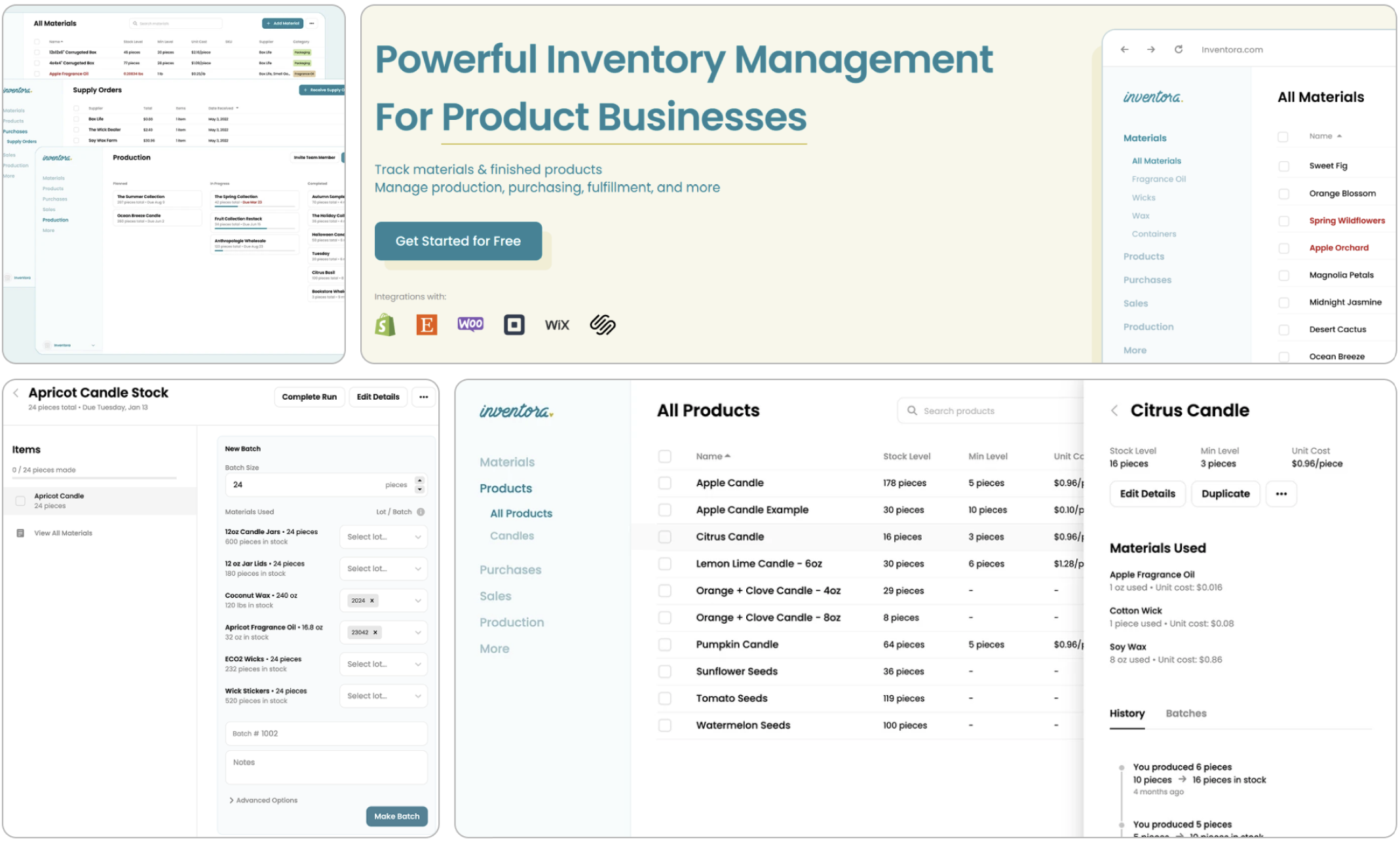
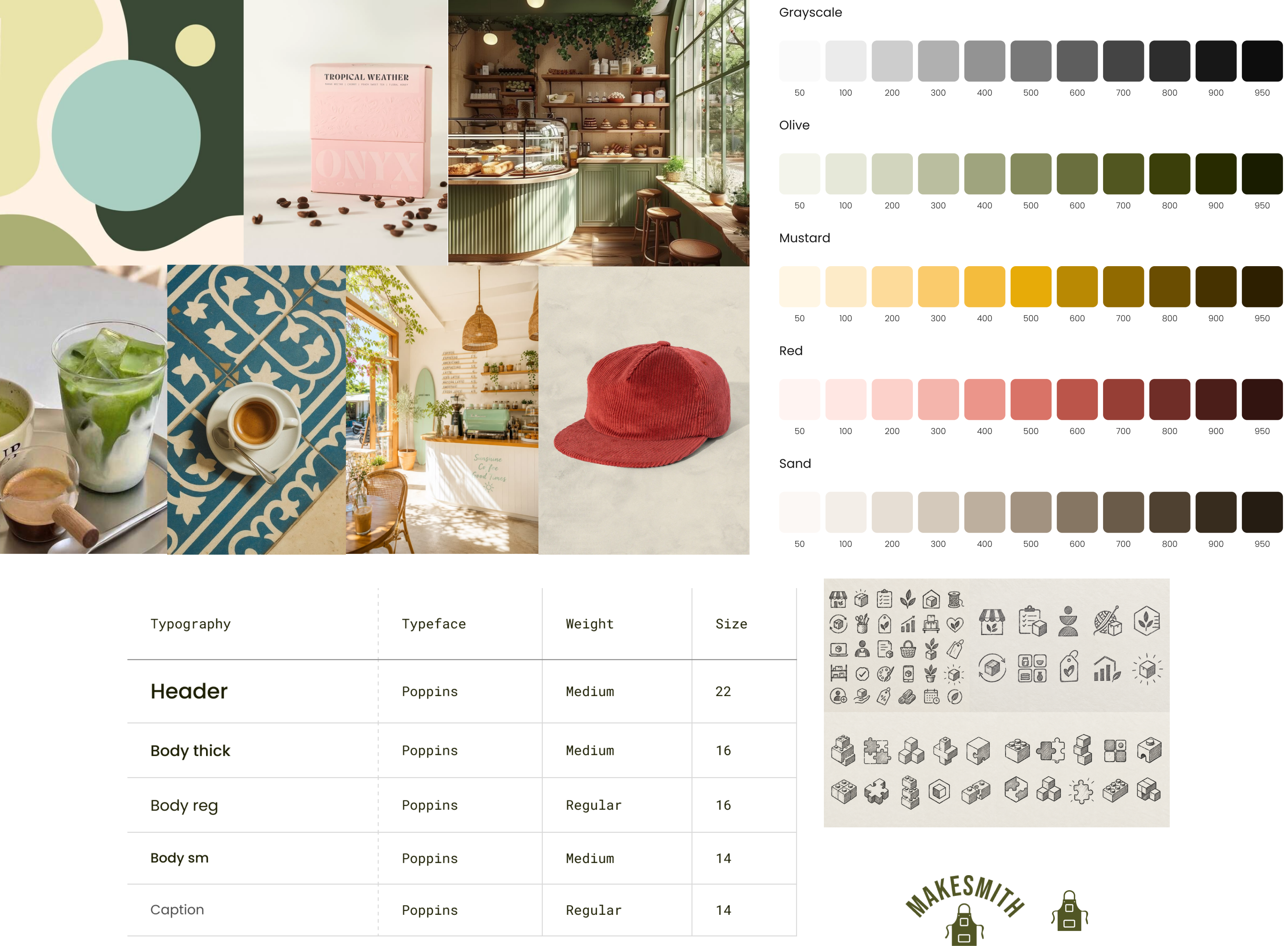
Analyzing the branding and UI of the two most popular options to identify a unique brand identity for Makesmith. It should remain familiar, with a unique visual identifier targeted to the creative small business and side hustler. Both competitor UIs feel simple and somewhat utilitarian. Adding more vibrancy and character to the Makesmith UI could fill the gap.

Prototyping & User Testing
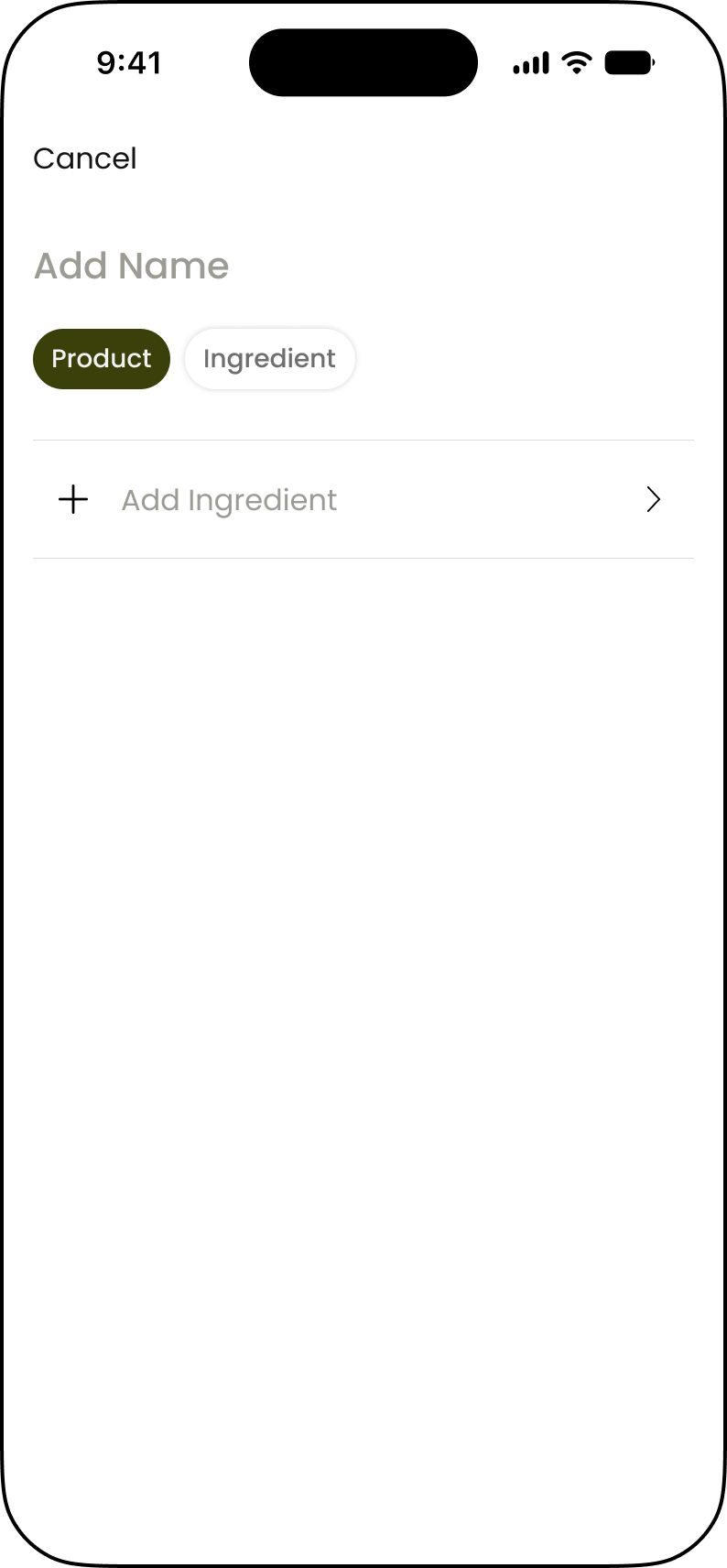
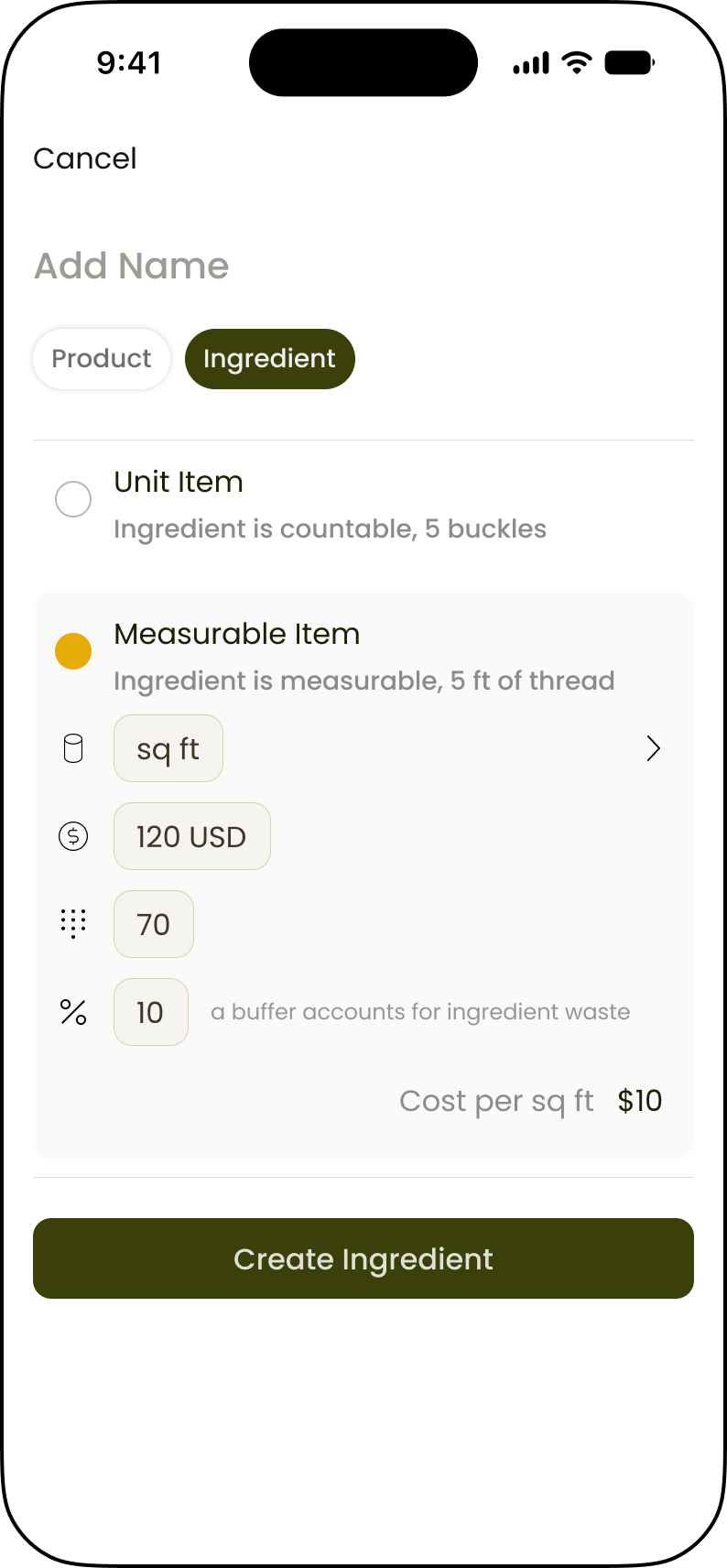
Solved Issue where 4/5 Testers had Trouble Adding ‘Ingredients’
Users can add the raw materials they buy and create products using them. Testers consistently didn't see the "Add Name" input, and were stumped by a disabled cta. I solved this interaction problem with a more obvious title input field.
Prototyping & User Testing
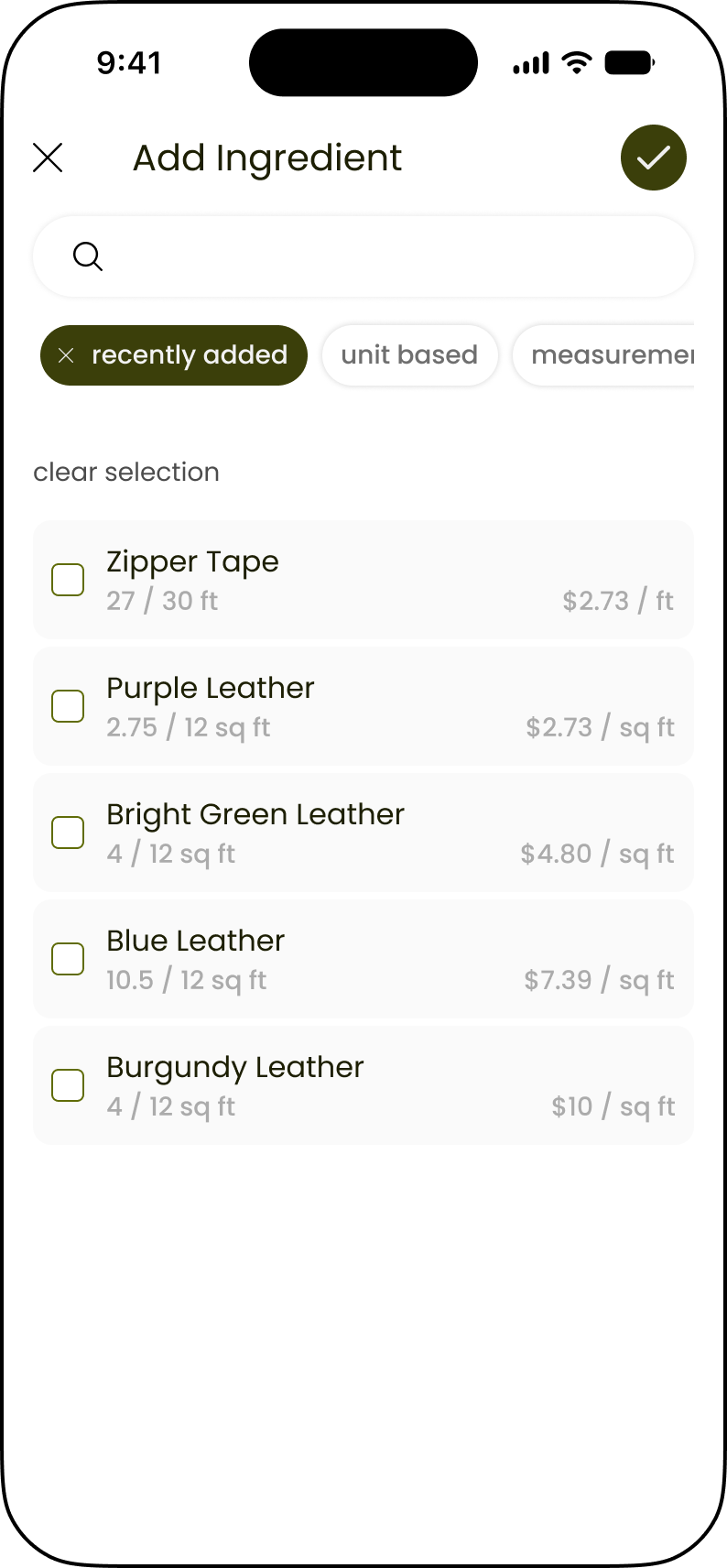
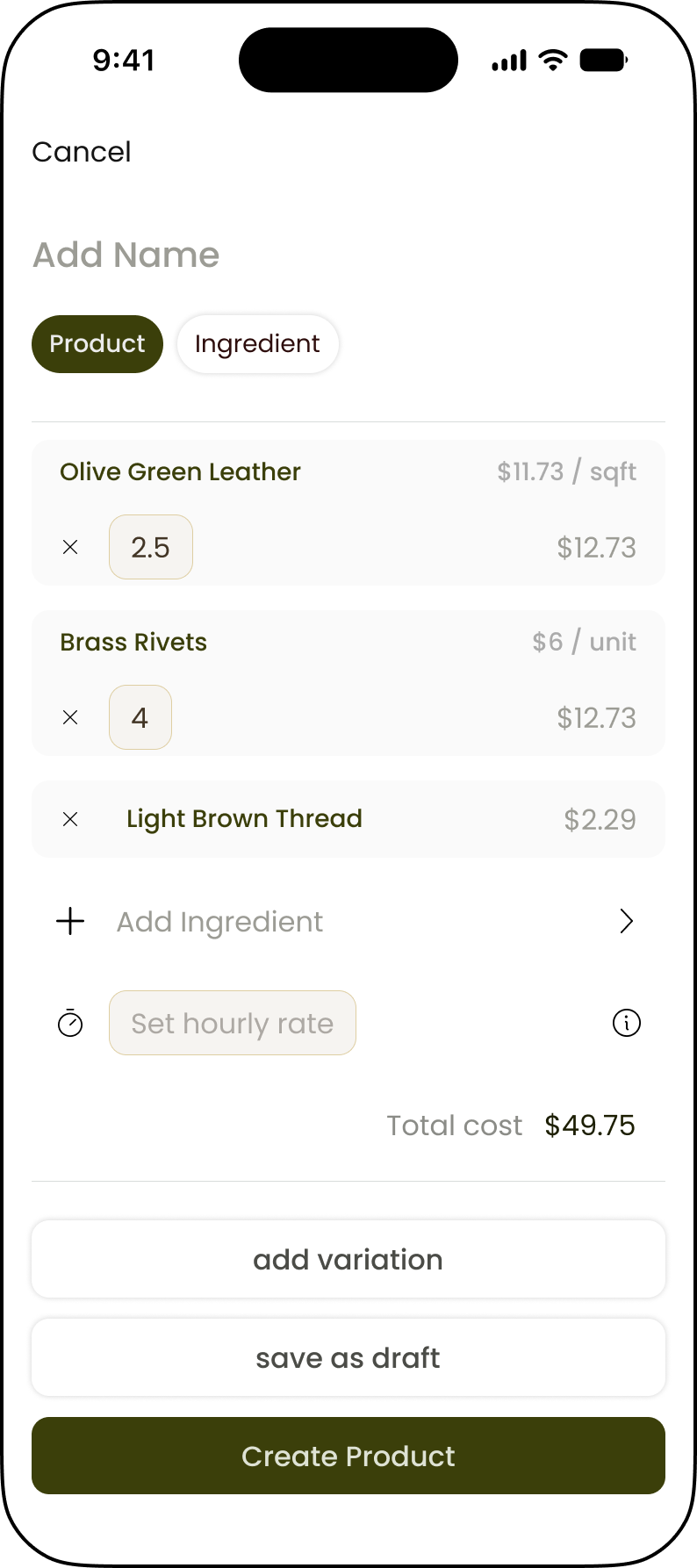
Solved Issue where 4/5 Testers had Trouble Creating Product
Users can create products using their raw materials in the app. Testers in this flow had trouble selecting the raw materials on a multi-select page, and were confused with the cta options at the end. They appreciated the automated analysis of cost per materials usage.
Prototyping & User Testing
5/5 Testers Enjoyed the Planning Experience
One of the primary features of the app is the ability to plan for future orders by selecting products in your inventory, and the app will consolidate a purchasing list. All user testers found this experience to be pleasantly surprising and intuitive.